
Solar Monitoring Showing Zero Generation, What It Means
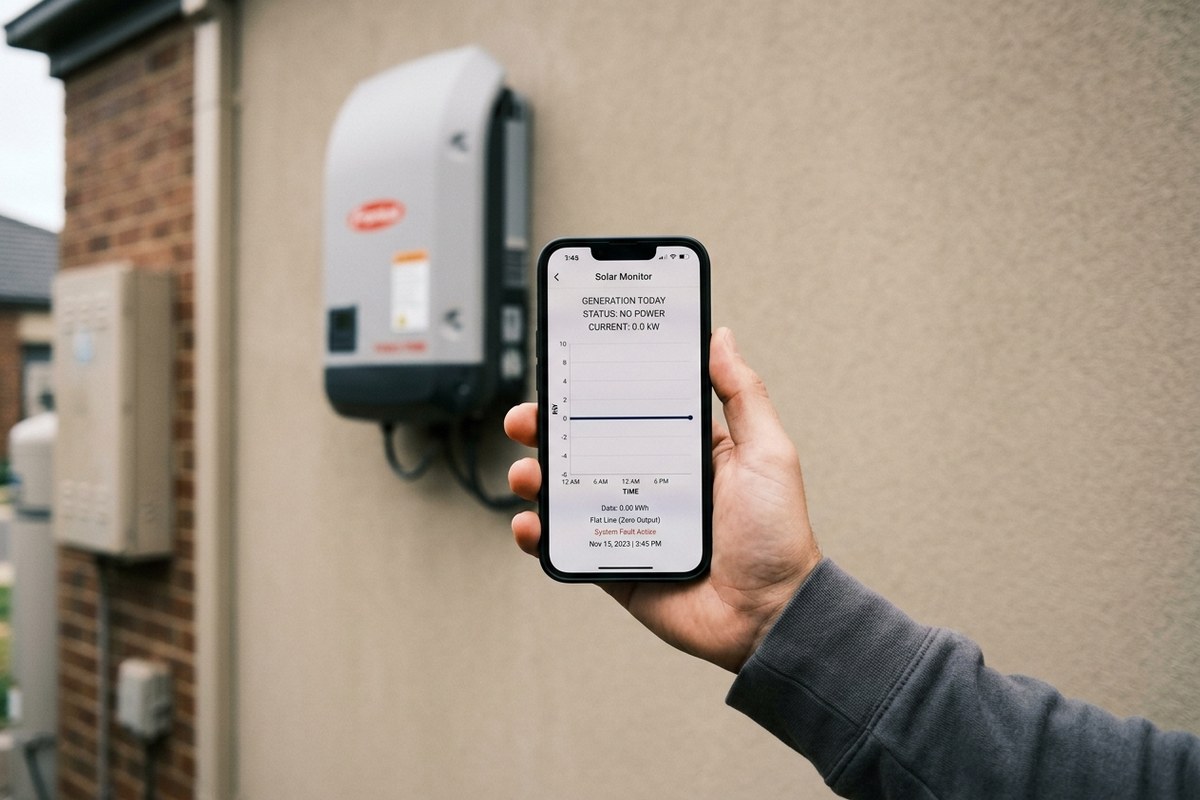
You open the solar app to check how the system is doing and the screen shows nothing, a flat line, no generation, a blank where the day's output should be. It is an alarming sight, and the natural assumption is that the system has died. Often, though, the panels are happily making power and the only thing that has failed is the connection between the inverter and the app. Telling those two situations apart is the whole point.
Monitoring Is Not the System
The monitoring is a window onto the system, not the system itself. The inverter generates power and reports what it is doing over a wi-fi or data connection to an app or portal. If that reporting link drops, the app goes blank even though the inverter is still working perfectly and the house is still being powered. A zero on the screen, then, can mean a dead system or it can mean a lost connection, and those need very different responses.
Common Reasons the App Goes Blank
The most frequent cause is mundane: the inverter has lost its wi-fi. A changed router, a new internet password, a router reboot, or simply distance and interference between the router and the inverter can all break the link. A firmware update, an app or portal outage at the manufacturer's end, or a flat home network can do the same. None of these affect generation at all, the system keeps making power, it just stops telling you about it.
When Zero Means a Real Fault
Sometimes, though, zero means zero. If the inverter itself has tripped, failed, or shut down on a fault, generation genuinely stops and the app correctly shows nothing. The clues that point this way are an inverter that is dark or showing a fault light rather than running normally, a system that went blank suddenly during the day rather than after a network change, and a bill that confirms generation really has fallen. In that case the monitoring is doing its job, and the system needs a repair.
How to Tell the Difference
The quickest check is the inverter itself. If its own display shows it running and generating normally, the system is fine and the problem is the monitoring link, often fixed by reconnecting the inverter to wi-fi. If the inverter is dark, cycling, or showing a fault, the problem is real. Most owners can glance at the inverter safely; anything beyond looking at it is for an electrician, who can confirm quickly whether you have a dropout to reconnect or a fault to repair.
Why It Is Worth Sorting
A blank app is worth resolving even if the system turns out to be fine, because monitoring is how you catch the next real problem. A system running blind for months can develop a genuine fault that goes unnoticed precisely because nobody can see the numbers. Getting the monitoring back means you can actually tell when something does go wrong, which is the reason it was installed in the first place.
Frequently Asked Questions
Does a blank app mean my system is dead?
Not necessarily. The most common cause is a lost wi-fi or data link between the inverter and the app, with the system still generating normally. It can also be a real fault, the inverter tells you which.
How do I check whether it is just the connection?
Look at the inverter itself. If its own display shows it running and generating, the system is fine and the monitoring link has dropped. If it is dark or showing a fault, the problem is real.
What makes the monitoring drop out?
Usually a network change, a new router or password, a reboot, interference, or a manufacturer-side outage. A firmware update or flat home network can also do it. None of these affect generation.
Should I bother fixing it if the system is working?
Yes. Monitoring is how you catch the next real fault. A system running blind can develop a problem unnoticed, so restoring the link is worthwhile even when generation is fine.
App Showing Nothing at All?
A blank monitoring app does not always mean a dead system. We can tell a wi-fi dropout from a real fault. Chat with our team for a check across the Central Coast.